Throughout the year we mail several forms and product notices to our members. Several of these notifications can be sent to our members electronically as opposed to by mail. Members will receive them faster, you can store them on your computer for future reference and they will be archived for you in Online Banking. These documents include tax documents, certificate notices, loan payment notices and more.
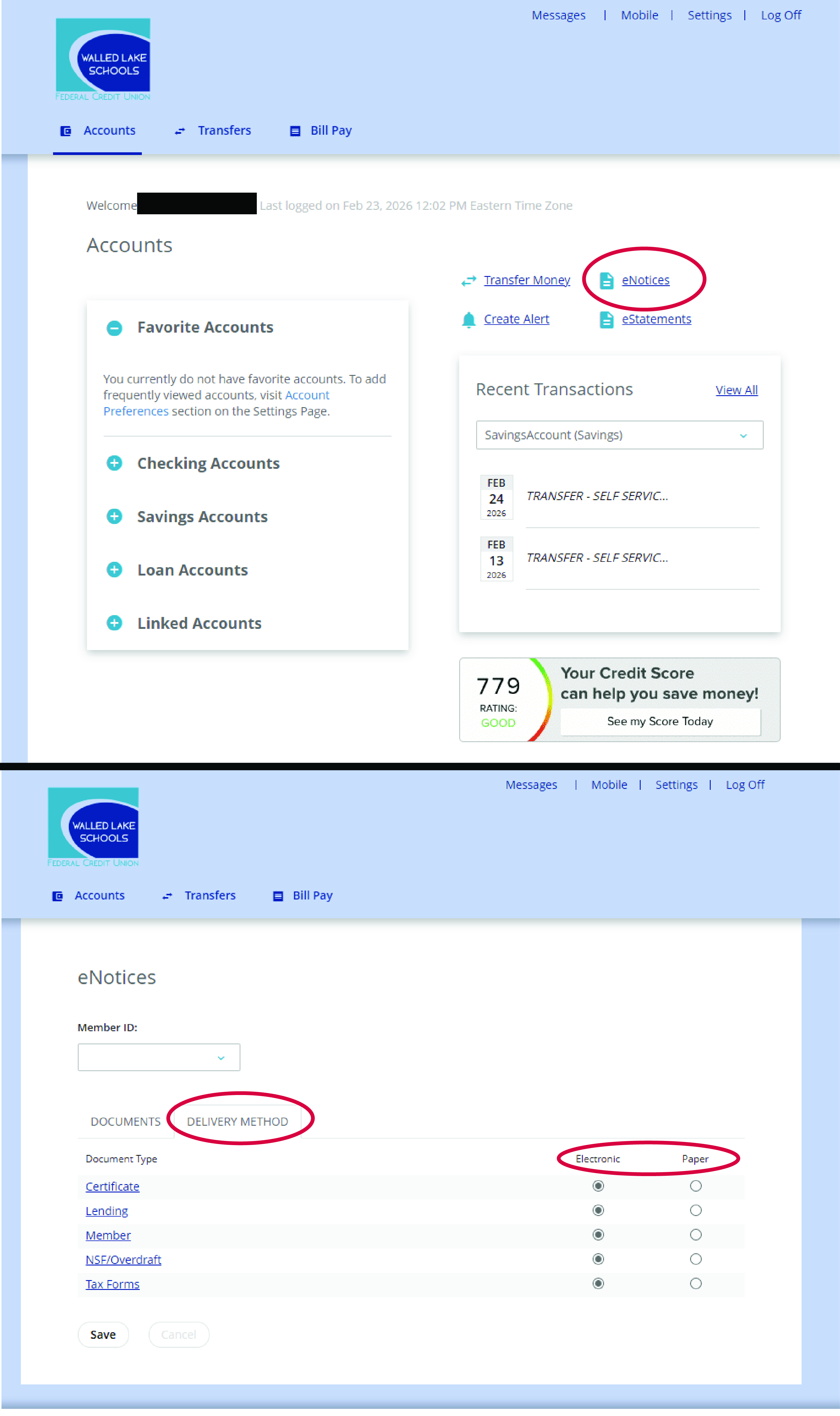
All members are automatically set up to receive these notifications by paper mail. If you would like to receive electronic notices, you can switch them in Online Banking. You will need to use a computer to log in to make this change. The feature is not available in the app.
Once you log in from a computer, you just click the eNotices tab in the upper right corner. This will bring up a screen with two tabs. You will need to select the tab labeled Delivery Method. This will give you a list where you can select the delivery option. If you click on the categories listed under the Document Type column, it will show you a list of all the forms for that category. Check it out when you have a chance, and set your delivery options to meet your preference. If you have questions, just give us a call or send us an email.